

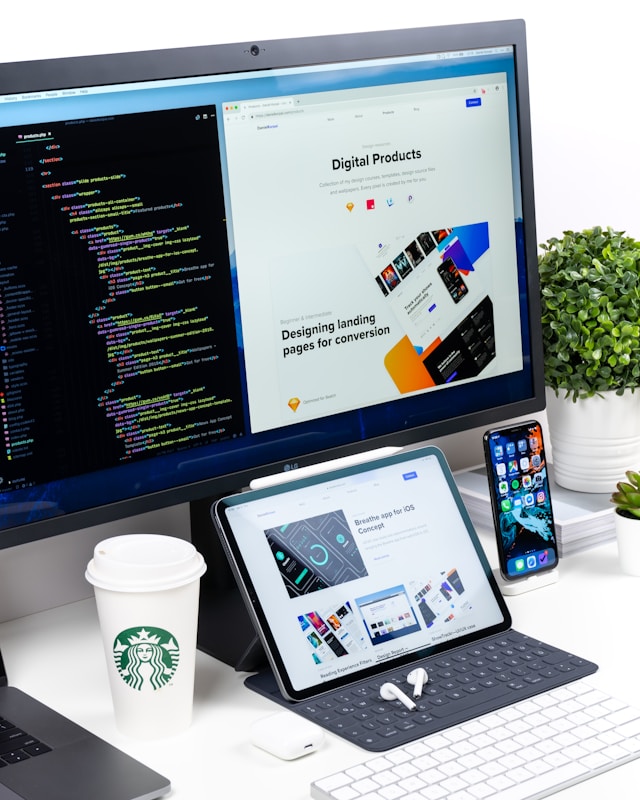
Your website serves as your digital storefront, your 24/7 salesperson, and often the very first interaction a potential customer has with your brand. Yet, too many businesses treat web design as a purely aesthetic exercise—something to be “prettied up” after the real work is done. This mindset is a financial liability.
Design is not merely about making things look good; it is a functional tool that dictates how users interact with your business. A confusing layout, a slow loading speed, or a lack of mobile responsiveness doesn’t just annoy visitors. It actively repels them, sending them straight into the arms of your competitors.
When you look at your balance sheet, you might see line items for marketing, sales, and product development. However, the efficiency of your website’s design influences the return on investment (ROI) for all those categories. If you spend thousands driving traffic to a site that fails to convert due to poor design, you are effectively burning money. Understanding the direct correlation between user experience (UX), interface design, and your bottom line is the first step toward reclaiming that lost revenue.
The Psychology of the Snap Judgment
Human beings are visually oriented creatures who make decisions with startling speed. Research from Google has shown that users form an opinion about a website in approximately 50 milliseconds (0.05 seconds). That is all the time you have to convince a visitor to stay.
If that initial visual impression is cluttered, outdated, or confusing, the user’s brain instantly signals “untrustworthy.” This phenomenon is known as the “halo effect.” If a user perceives your website as polished and professional, they subconsciously extend that positive perception to your products and services. Conversely, if your site looks neglected, users assume your customer service and product quality are equally neglected.
Credibility is Currency
In the digital marketplace, trust is the primary currency. A study by Stanford University found that 75% of users admit to making judgments about a company’s credibility based on their website’s design.
When a potential client lands on your page, they are looking for signals that you are legitimate. High-quality imagery, consistent typography, and a structured layout from Huat Designs signal competence. A site that looks like it was built in 2010 signals that the business might not be keeping up with modern standards—or worse, that it might not be in business at all. Losing a visitor due to a lack of credibility is a silent profit killer because these users rarely complain; they simply leave and never return.
Friction is the Enemy of Revenue
Once a user decides to stay past the first half-second, the functionality of the design takes over. This is where User Experience (UX) design becomes critical. Your goal is to guide the visitor from point A (landing page) to point B (purchase or inquiry) with as little resistance as possible.
Every obstacle a user faces is called “friction.” Friction can be a slow-loading image, a button that doesn’t look like a button, a confusing navigation menu, or a form with too many fields.
The High Cost of Confusing Navigation
If visitors cannot find what they are looking for, they cannot buy it. It sounds simple, yet complex navigation is one of the most common design failures.
Navigation should be intuitive. Users have established mental models of how websites should work—the logo goes in the top left and links to the home page; the contact info is in the footer or top right. Breaking these conventions in the name of “creativity” usually backfires.
When navigation is seamless, the user doesn’t have to think. They flow through the sales funnel naturally. When they have to hunt for information, their cognitive load increases, frustration sets in, and the likelihood of abandonment skyrockets. Streamlining your navigation is often the quickest win for increasing conversion rates.
Speed Kills (or Saves) Conversions
While speed is technically a backend performance issue, it is inextricably linked to design. Heavy graphics, unoptimized video backgrounds, and excessive animations can bog down load times.
The financial stakes of site speed are massive. Data consistently shows that conversion rates drop significantly with every second of delay. If your site takes more than three seconds to load, you have likely lost nearly half of your visitors before they even saw your headline.
Good design finds the balance between visual impact and performance. It involves optimizing assets and prioritizing content so that the user sees the most important information immediately. Prioritizing speed is prioritizing profit.
Mobile Responsiveness: The Majority Share
We have long passed the tipping point where mobile traffic surpassed desktop traffic. For many industries, over 60% of potential customers are viewing the site on a smartphone. Despite this, many businesses still design for desktop first and treat mobile as an afterthought.
A site that isn’t mobile-responsive forces users to pinch, zoom, and scroll horizontally to read text or click buttons. This is a disastrous user experience. Google also penalizes non-responsive sites in search rankings, meaning you lose on two fronts: you get less traffic, and the traffic you do get converts at a lower rate.
Responsive design ensures that your site adapts fluidly to any screen size. Buttons must be “thumb-friendly,” text must be legible without zooming, and menus must be accessible. If a mobile user can’t easily tap “Add to Cart,” you have lost a sale.
Directing Attention with Visual Hierarchy
A profitable website manages the user’s attention. You cannot scream everything at once. If every element on the page is big, bold, and colorful, then nothing stands out. This is where visual hierarchy comes into play.
Visual hierarchy is the arrangement of elements in a way that implies importance. Designers use size, color, contrast, and whitespace to tell the user’s eye where to go.
The Power of Whitespace
One of the biggest misconceptions in business is that “white space” (or negative space) is wasted space. Business owners often want to cram as much information as possible “above the fold.”
In reality, whitespace is an active design element. It provides breathing room for the eye and creates contrast. By surrounding your Call to Action (CTA) button with whitespace, you make it the focal point of the screen.
Consider the landing pages of high-converting SaaS companies or luxury e-commerce brands. They are often clean, spacious, and focused. They strip away distractions so the user focuses entirely on the value proposition and the “Buy” button. Clutter confuses; clarity sells.
Color Psychology and Action
Colors evoke emotions and drive actions. While your color palette should align with your brand identity, how you use those colors impacts conversion.
The “Von Restorff effect” (or isolation effect) predicts that when multiple similar objects are present, the one that differs from the rest is most likely to be remembered. In web design, this means your CTA button should be a color that contrasts sharply with the rest of the page. If your site is blue and white, a blue “Submit” button will blend in. An orange or green button, however, demands attention. These subtle design choices cumulatively lead to significant uplifts in revenue.
Accessibility expands your Market
Web accessibility—designing so that people with disabilities can use your site—is often viewed as a compliance box to check. Smart business owners view it as a market expansion opportunity.
Approximately 15% of the world’s population experiences some form of disability. If your website is not navigable via screen readers, or if your color contrast is too low for visually impaired users, you are effectively hanging a “Do Not Enter” sign for a massive segment of the market.
Accessible design is almost always better design for everyone. Clearer contrast helps users looking at screens in bright sunlight. Captions on videos help users watching without sound on the bus. By making your site universally usable, you maximize your potential customer base and protect your business from potential lawsuits regarding ADA compliance.
SEO: The Invisible Design Framework
You might have the most beautiful website in the world, but if no one can find it, it generates zero profit. Many people separate SEO (Search Engine Optimization) and web design, but they are deeply intertwined.
Google’s algorithms now heavily prioritize “Page Experience.” This includes metrics called Core Web Vitals, which measure loading performance, interactivity, and visual stability. If your design elements shift around while the page loads (Cumulative Layout Shift), Google may lower your search ranking.
Furthermore, how you structure your headings, how you name your image files, and how you design your internal linking structure all signal to search engines what your site is about. A clean code structure allows search engine crawlers to index your site efficiently. Investing in SEO-friendly design ensures that your organic traffic pipeline remains open and free-flowing.
Consistency Builds Brand Equity
Inconsistent design erodes trust. If your homepage looks modern and sleek, but your checkout page looks like a different website entirely, the user gets nervous. They might wonder if they have been redirected to a scam site.
Consistency applies to fonts, colors, imagery styles, and tone of voice. This consistency reinforces brand recognition. When a customer sees an ad on social media, clicks through to a landing page, and then receives a confirmation email, the visual language should be cohesive.
Brand equity allows you to charge premium prices. Customers pay more for brands they recognize and trust. Inconsistent design makes your brand feel fragmented and “cheap,” forcing you to compete on price rather than value.
Frequently Asked Questions
Is it better to use a website template or hire a custom designer?
Templates are a cost-effective starting point for new businesses with limited budgets. However, as you scale, templates often become restrictive. They can be bloated with unnecessary code (slowing down the site) and look generic. Custom design allows you to tailor the user journey specifically to your customer’s needs and your conversion goals, which usually yields a higher ROI in the long run.
How often should I redesign my website?
There is no hard rule, but the digital landscape changes quickly. Generally, a major refresh every 2 to 3 years is recommended. However, you should be making iterative improvements constantly based on user data. If your analytics show a high bounce rate on a specific page, redesign that page immediately rather than waiting for a full site overhaul.
What is the single most important element of a high-converting website?
While difficult to pin down just one, clarity wins. If a user cannot understand what you offer and how it benefits them within five seconds of landing on your site, everything else—the colors, the animations, the fonts—is irrelevant. Clarity in your headline and Value Proposition is paramount.
Don’t Leave Money on the Table
Your website is an investment vehicle. Like any investment, it requires strategy, maintenance, and optimization to yield returns. A site that is aesthetically pleasing but functionally broken is a liability. A site that is functional but ugly is a missed opportunity.
The connection between pixel-perfect design and profit margins is undeniable. By prioritizing speed, mobile responsiveness, intuitive navigation, and accessibility, you remove the barriers standing between your customers and your checkout page.
Take a hard look at your current website. navigates it as a stranger would. Is it building trust? Is it guiding you effortlessly toward a purchase? If not, it is time to stop viewing design as an expense and start viewing it as the profit-generating engine it is meant to be.


